
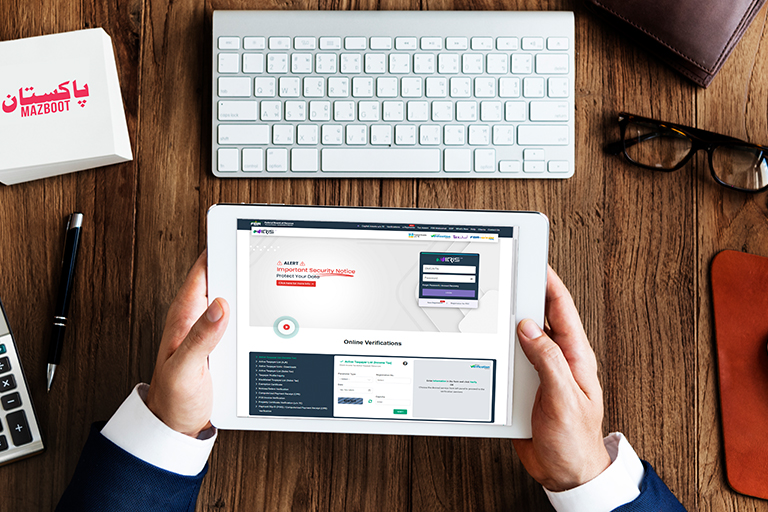
How to Check NTN Number from CNIC in Pakistan
In Pakistan, every taxpayer — whether a salaried employee, freelancer, or business owner — needs a valid National Tax Number (NTN). This number is issued by the Federal Board of Revenue (FBR) and helps the government identify individuals and businesses for tax purposes.
Thanks to digitalization, you can now check your NTN number online using your CNIC within minutes. This article will guide you through the entire process step by step, explain why NTN is important, and show you alternative ways to verify your tax registration without any complicated jargon.
What is an NTN and why is it Important?
An NTN (National Tax Number) is a unique identification number issued by the Federal Board of Revenue (FBR) to individuals and organizations in Pakistan. It works much like a tax ID and is used for filing tax returns, business registration, and various financial or legal transactions.
You need an NTN for:
- Filing your annual income tax returns
- Opening or operating a business bank account
- Registering a company with SECP
- Property purchase, car registration, or government contract applications
- Receiving freelance or international payments
Having an NTN also means you are part of the active taxpayer list (ATL), which provides benefits such as lower tax deductions on banking transactions and imports.
How to Check NTN Number from CNIC Online (Step-by-Step Guide)
You can easily verify your NTN number through the official FBR IRIS portal using your Computerized National Identity Card (CNIC). Follow these simple steps:
- Visit the FBR Online Verification Portal
Go to the IRIS FBR Portal and scroll down the homepage until you find the “Online Verification” section. - Choose “Taxpayer Profile Inquiry”
Click on “Taxpayer Profile Inquiry” under the online verification options. - Select “CNIC” as Parameter Type
In the drop-down list labeled “Parameter Type,” select CNIC. - Enter Your CNIC Number
Type your 13-digit CNIC number (without dashes). - Complete the Captcha
Enter the characters shown in the captcha image correctly. - Click “Submit”
After submitting your NTN information, it will appear on the screen.
You’ll see details such as:
- Reference Number (NTN)
- Name
- Registration Number
- Email and Phone (partially shown)
- Registered Address
- Tax Office (RTO)
If the system displays “No Record Found”, it means you are not yet registered with the FBR. You can easily apply for an NTN online through the IRIS portal by choosing “Registration for Unregistered Person.”
Alternative Ways to Check Your NTN
If the FBR verification portal is busy or temporarily unavailable, there are a few other convenient methods to verify your NTN:
Through the FBR Tax Asaan Mobile App
The Tax Asaan app, available on Android and iOS, allows you to verify your NTN, file taxes, and view your tax profile.
- Download the app from the Google Play Store or Apple App Store.
- Log in or create an account.
- Choose “NTN Verification” and enter your CNIC.
- Your tax record will appear instantly.
Using Other Identifiers
Besides CNIC, you can also search for NTN using:
- Company Registration Number / Incorporation Number
- Passport Number (for foreign nationals)
- Old NTN Reference Number
These options are useful if you’re verifying a business NTN or checking for registered partnerships or companies.
Types of NTN in Pakistan
There are three major types of NTNs issued by the FBR:
- Personal NTN:
For individuals (salaried employees, freelancers, or self-employed persons).
Issued against a CNIC. - AOP / Partnership NTN:
For a partnership or association of multiple persons conducting business together. - Company NTN:
For registered companies issued against their Incorporation Number by the SECP.
Each type ensures that both individuals and organizations remain compliant with Pakistan’s tax laws.
What to Do If No Record Is Found
If you do not find your record while checking NTN with CNIC:
- Make sure you entered the correct CNIC number without dashes.
- Try again during off-peak hours as the FBR portal sometimes faces high traffic.
- If still unavailable, it means you haven’t registered yet. You can register for free NTN via the FBR IRIS portal by submitting your CNIC, mobile number, and basic details.
Once registered, your NTN will appear within a few minutes in the FBR database.
Responsibilities of NTN Holders – How to Check NTN Number from CNIC in Pakistan
After obtaining your NTN, you must fulfill your annual tax obligations:
- File your Income Tax Return every year (deadline: 30th September for individuals).
- Keep your contact and address information updated in FBR records.
- Retain your NTN certificate safely for verification and documentation.
Failure to file returns can result in removal from the Active Taxpayer List (ATL), leading to higher tax deductions on transactions and penalties.
Benefits of Verifying and Maintaining Your NTN
Regularly checking and verifying your NTN ensures:
- Your tax profile remains active and valid.
- You can easily file or update your tax returns.
- You gain access to financial benefits as a registered taxpayer.
- Avoidance of compliance issues with banks, property authorities, or government offices.
In short, verifying your NTN keeps your financial and legal identity secure and transparent in Pakistan’s taxation system.
Final Thoughts – How to Check NTN Number from CNIC in Pakistan
Checking your NTN number from CNIC in Pakistan is a simple, fast, and free process. Whether you’re a freelancer, employee, or business owner, having your NTN verified ensures you stay compliant with tax laws and enjoy lower tax rates.
Through the FBR IRIS portal or the Tax Asaan app, you can confirm your tax registration in just a few minutes — no paperwork or agents needed.
Stay proactive, verify your NTN regularly, and make sure your record remains up to date in the FBR system.
Frequently Asked Questions – How to Check NTN Number from CNIC in Pakistan
1. How to Check NTN Number from CNIC in Pakistan?
You can check your NTN number online through the FBR IRIS portal. Visit the IRIS FBR Portal and go to the Online Verification section, and select “Taxpayer Profile Inquiry.” Choose CNIC as the parameter type, enter your CNIC number without dashes, complete the captcha, and click Submit. Your NTN details will appear instantly on the screen.
2. Can I check my NTN number without visiting the FBR office?
Yes, you can check your NTN number online without visiting any office. Use the FBR IRIS portal or the Tax Asaan mobile app available on Android and iOS to verify your NTN using your CNIC number within minutes.
3. What should I do if no NTN record is found against my CNIC?
If no record appears, it means you haven’t registered with the FBR yet. You can easily apply for a new NTN online by selecting “Registration for Unregistered Person” on the IRIS portal and submitting your CNIC, mobile number, and basic details. Once approved, your NTN will be visible in the FBR system.
4. What is the process on how to check NTN number from CNIC in Pakistan?
To check your NTN number from CNIC in Pakistan, visit the official FBR website and use the “Know Your NTN” tool. Enter your CNIC number to retrieve your NTN instantly.
5. Is it free to check how to check NTN number from CNIC in Pakistan?
Yes, checking your NTN using CNIC is completely free on the FBR portal and does not require any payment.
6. Do I need an FBR account to check how to check NTN number from CNIC in Pakistan?
No, you do not need an FBR account. You can directly use your CNIC number on the portal to check your NTN.
7. Can I check someone else’s NTN when learning how to check NTN number from CNIC in Pakistan?
Yes, you can check another person’s NTN if you have their valid CNIC number and use the official FBR tool.
8. What should I do if I cannot find my NTN when I check how to check NTN number from CNIC in Pakistan?
If no result appears, it means you are not registered for an NTN. You will need to register with FBR to obtain a valid NTN number.
9. How fast is the process of how to check NTN number from CNIC in Pakistan?
The process is immediate. Once you enter your CNIC on the FBR portal, your NTN number will appear instantly if registered.
10. Why is it important to know how to check NTN number from CNIC in Pakistan?
Knowing how to check NTN number from CNIC in Pakistan ensures you are compliant with tax laws and helps in filing tax returns, banking, and financial transactions.
11. Where can I find the official portal to check how to check NTN number from CNIC in Pakistan?
You can access the official FBR portal at https://www.fbr.gov.pk and use the “Know Your NTN” service to check your NTN using your CNIC.